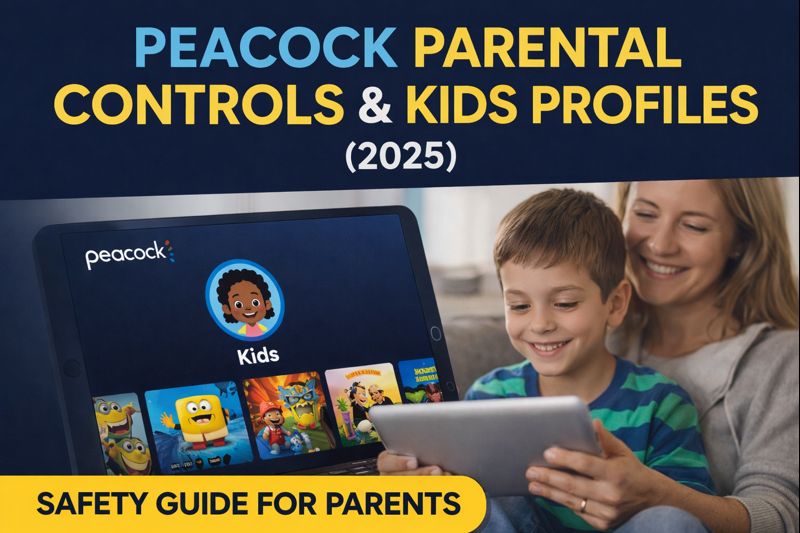
Peacock Parental Controls & Kids Profiles (2025): Complete Safety Guide for Families
Peacock Parental Controls & Kids Profiles (2025): Complete Safety Guide for Families
Introduction
As streaming becomes a daily part of family life, parents want to ensure children watch age-appropriate, safe content. Peacock offers built-in parental controls and kids-friendly profiles designed to help families manage what children can access.
In this 2025 Peacock parental control guide, we’ll cover how kids profiles work, how to set restrictions, content ratings, and smart tips to keep your family’s streaming experience safe and stress-free.
1. Does Peacock Have Parental Controls in 2025?
Yes — Peacock parental controls are fully supported in 2025 and allow parents to:
- Restrict content by age rating
- Create dedicated kids profiles
- Prevent access to mature shows and movies
- Control what children can browse and play
While Peacock doesn’t require external software, its built-in tools are effective for most families when properly configured.
2. What Is a Peacock Kids Profile?
A Peacock Kids Profile is a child-friendly viewing environment that:
- Shows only age-appropriate content
- Hides mature shows, movies, and thumbnails
- Prevents access to adult categories
- Limits browsing to kids and family sections
Kids profiles are ideal for households where children use shared devices like Smart TVs, tablets, or streaming sticks.
3. How to Set Up a Kids Profile on Peacock (Step-by-Step)
Setting up a kids profile on Peacock takes just a few minutes:
Step 1: Open Peacock & Sign In
- Log into your Peacock account on mobile, desktop, or Smart TV.
Step 2: Go to Profiles
- Select Profiles from account settings.
Step 3: Add a New Profile
- Click Add Profile
- Enter a profile name (e.g., “Kids” or child’s name)
Step 4: Enable Kids Mode
- Toggle Kids Profile ON
- Save changes
Once enabled, Peacock automatically filters content suitable for children.
4. Peacock Content Ratings Explained (2025)
Peacock uses standard U.S. content ratings to control what appears in kids profiles:
| Rating | Suitable For |
|---|---|
| TV-Y / TV-Y7 | Young children |
| TV-G | General audience |
| TV-PG | Parental guidance |
| TV-14 | Teens (restricted in kids profiles) |
| TV-MA | Adults only (blocked) |
Kids profiles automatically block TV-14 and TV-MA content, ensuring safer viewing.
5. Can Kids Switch Profiles or Disable Controls?
Peacock parental controls are profile-based, which means:
- Kids cannot access adult profiles unless they know the login credentials
- Peacock currently does not support profile PIN locks
- Parents should log out or switch profiles manually on shared devices
👉 Pro Tip: For younger children, always exit the kids profile before turning off the TV to prevent accidental access.
6. Best Family & Kids Content on Peacock (2025)
Peacock offers a growing library of family-friendly entertainment, including:
- Animated movies and shows
- Educational programs
- Classic kids TV series
- Family comedies
- Holiday specials
Many popular family titles are available on Peacock Premium and Premium Plus, making it a solid option for households with children.
7. Peacock Parental Controls vs Other Streaming Services
| Feature | Peacock | Netflix | Disney+ | Hulu |
|---|---|---|---|---|
| Kids Profiles | ✔ | ✔ | ✔ | ✔ |
| Age-Based Filtering | ✔ | ✔ | ✔ | ✔ |
| Profile PIN Lock | ❌ | ✔ | ✔ | ✔ |
| Dedicated Kids Library | ✔ | ✔ | ✔ | ✔ |
While Peacock lacks PIN locking, its kids profiles still offer strong content filtering, especially for younger viewers.
8. Tips for Parents Using Peacock in 2025
✔ Use separate kids profiles for each child if ages vary
✔ Periodically review what content appears in kids mode
✔ Keep account credentials private
✔ Monitor viewing history occasionally
✔ Combine parental controls with device-level restrictions if needed
These simple steps help create a safer, family-friendly streaming environment.
Want to know about, Want to know about, Peacock Parental Controls & Kids Profiles. Complete Safety Guide for Families. Read our latest blog.
Conclusion
Peacock Free Trial parental controls in 2025 provide families with a reliable way to manage what children watch. By using kids profiles, understanding content ratings, and practicing smart account habits, parents can confidently allow kids to enjoy Peacock’s family-friendly content.